
Main Sequence Logistics Guide: Routes, Docks and Fleets
Move ore and parts across Main Sequence without starving the factory: dock throughput, item filters, hauler routes, fleet control, and hub-and-spoke design.
Main Sequence is a factory game spread across space. The factory can be perfect and still starve because the ore is in the wrong place. Logistics is the layer that decides whether your machines run at 100 percent or wait on a dock.
The game gives you three tools: docks, haulers, and the fleet panel. Each solves a different problem. Confusing them is why players build a beautiful station that never gets fed.
The standard Dock has 2 ports, the Industrial Dock has 8, and every route needs a buffer at both ends.
The three logistics layers
| Layer | Tool | What it solves |
|---|---|---|
| Station internal | Conveyor belts | Moving items between machines inside a station |
| Station external | Docks and haulers | Moving items between stations |
| Fleet | Fleet panel and autopilot | Assigning ships to routes and monitoring them |
Belts are cheap and fast but only work inside a connected station. Docks are the boundary; a ship cannot take items from a belt directly. Haulers are the only way to move cargo between two stations that are not physically connected.
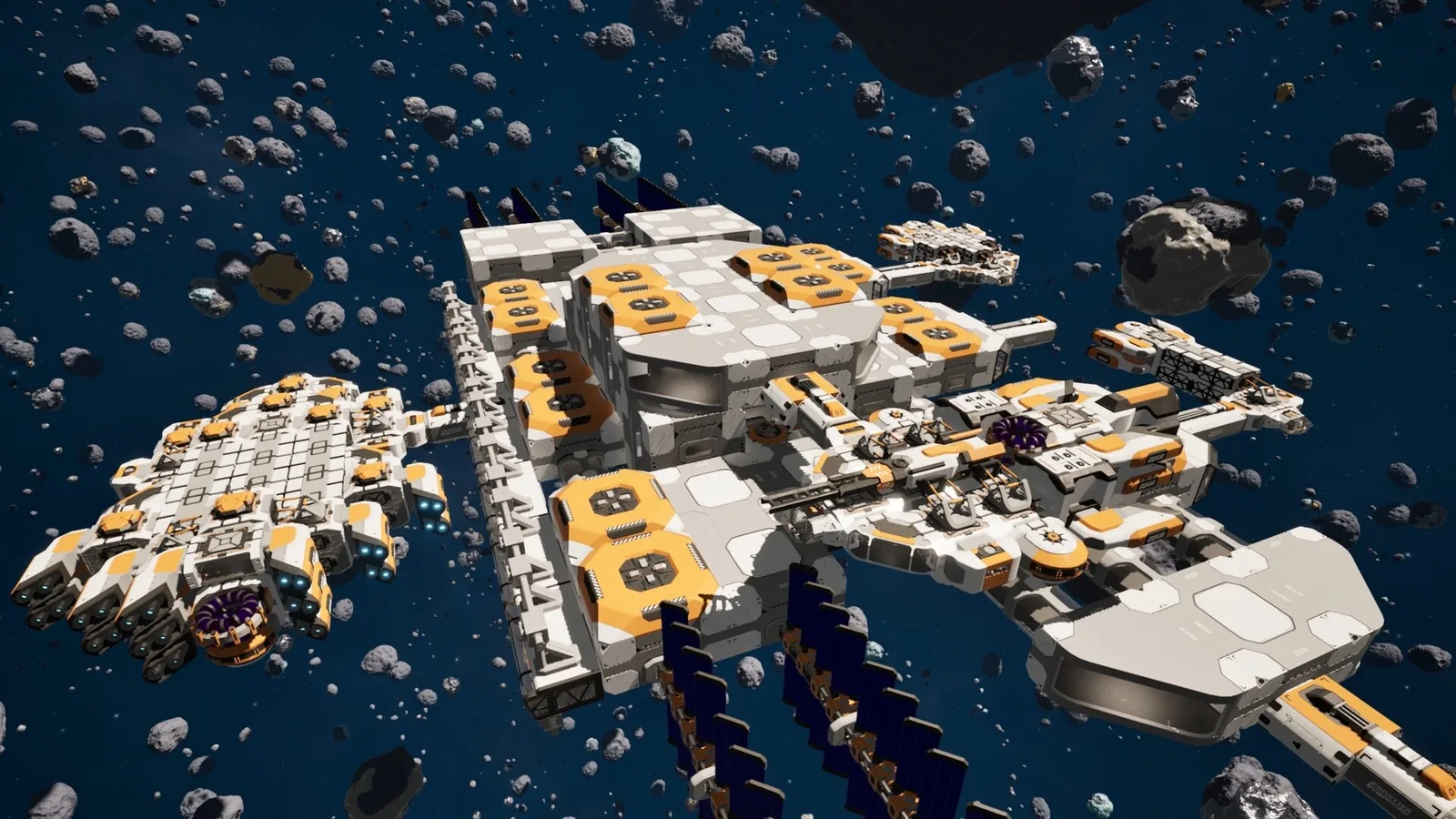
This is why the dock is the most important block in the logistics chain. A station with one dock has one ship berth. A station with an Industrial Dock has eight. If your ore arrives faster than the dock can unload, the belt upstream backs up and the miners idle.
Dock throughput and filters
The standard Dock costs 5 Hull Plates and has two conveyor ports. The Industrial Dock costs 20 Hull Plates, 20 Basic Circuits, and 10 Servomotors and has eight ports. Both can load and unload automatically.
The filter is the part players miss. A dock can be configured to handle only specific items, and a ship can be configured to load or unload only what you allow. The 2026-10-21 hotfix specifically fixed the “No item” filter option in docks and drone bays, which means filters are now reliable enough to use as a design tool.
Use filters to:
- Keep a fuel dock from accepting ore.
- Keep an ore dock from accepting finished parts.
- Prevent a hauler from unloading into the wrong container.
- Separate import and export at a busy station.
A filtered dock is slower to set up and much faster to diagnose. When a container is empty, you know which ship was supposed to fill it.
Hub-and-spoke versus point-to-point
There are two workable logistics shapes:
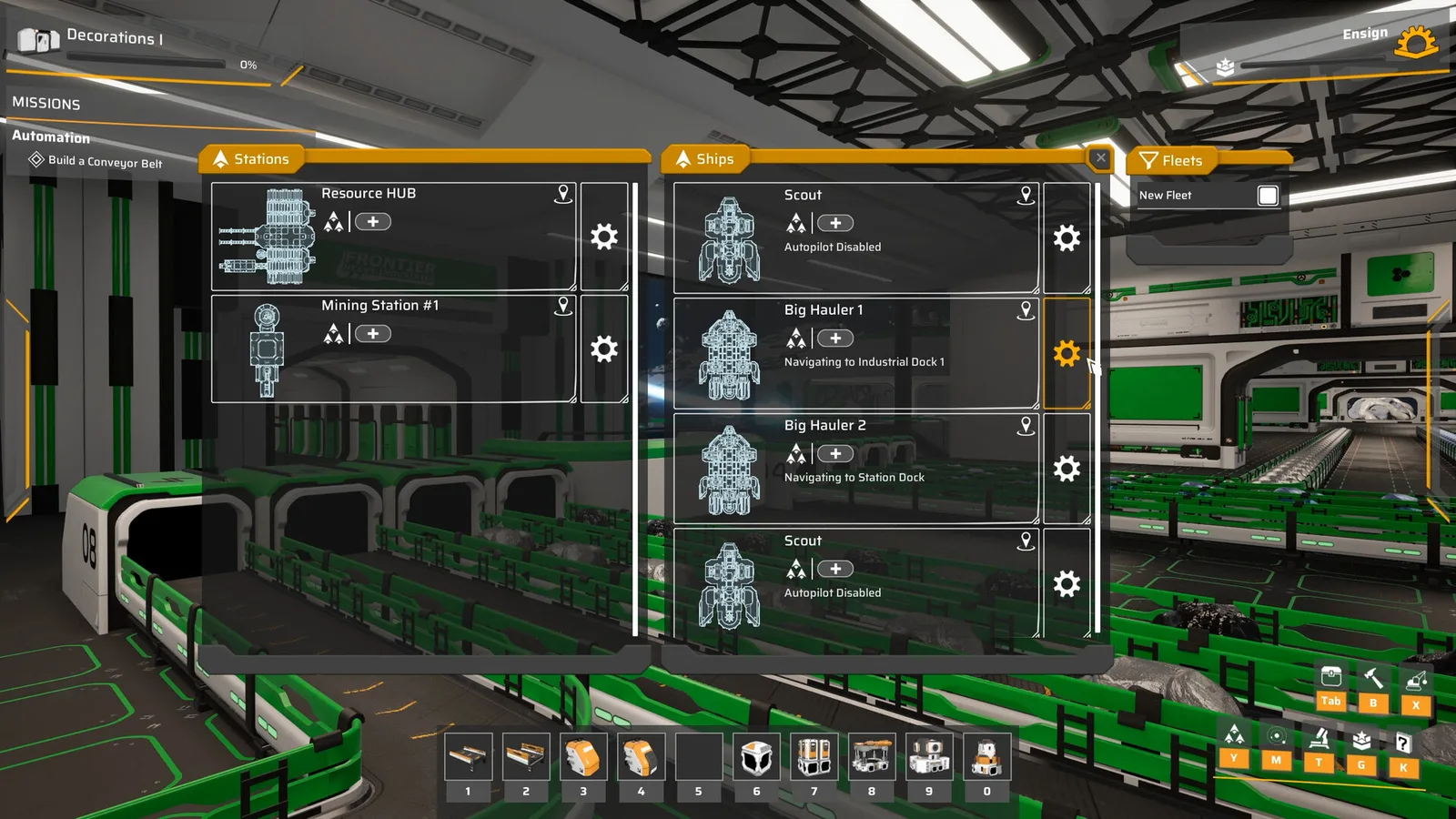
Hub-and-spoke. One central station (the Resource HUB in the store screenshot's fleet panel) receives ore from many mining stations and distributes parts to outposts. Ships run short, predictable routes. The hub needs many docks and a large buffer.
Point-to-point. Each mining station feeds one production station directly. Routes are simple, but the number of ships grows with the number of pairs. It works well for two or three stations and becomes unmanageable at ten.
For a first base, hub-and-spoke is easier. Build one Resource HUB with an Industrial Dock, put the refinery and assembler blocks next to it, and run miners from the belt to the hub. Add point-to-point routes only for dedicated fuel or military supply.
A hybrid also works: ore goes to the hub, but a remote fuel station ships Warp Fuel directly to the shipyard. The rule is that every route has a clear owner and a clear cargo.
Designing a route
A route is more than “ship goes from A to B.” Define:
- Cargo. What item, in what quantity, in which direction.
- Pickup. Which dock, which filter, which container.
- Drop-off. Which dock, which filter, which container.
- Ship. Which hull, how much cargo, how much fuel.
- Trigger. Continuous shuttle, or wait until full.
The trigger is the part that determines efficiency. A ship that leaves with 10 percent cargo makes more trips and burns more fuel. A ship that waits for 100 percent may starve the destination. For ore, wait for 80–90 percent; for fuel, keep a minimum reserve at the destination and top it up.
Set the route in the fleet panel by selecting the ship and assigning stations. The panel shows the ship's status: Autopilot Disabled, Navigating to Industrial Dock 1, Navigating to Station Dock. If a ship sits on “Autopilot Disabled,” the route is not assigned or the dock is invalid.

The fleet panel
The fleet panel has three tabs: Stations, Ships, and Fleets. Stations lists every station with a location pin and a settings gear. Ships lists every hull with its autopilot status. Fleets groups ships so you can assign them together.
Use the panel as a diagnostic tool:
- A ship stuck on “Navigating” for a long time is blocked by geometry or a full dock.
- A ship with “Autopilot Disabled” has no route.
- A station with no ships assigned is a dead end.
- A fleet with one ship is a route, not a fleet; name it accordingly.
The panel does not replace a mental model. Know which station produces what, which ship carries it, and which container receives it. If you cannot answer those three questions for a route, the route will fail eventually.
Buffers and starvation
Every route needs a buffer at both ends. The pickup station needs enough stock to fill a ship; the drop-off station needs enough space to accept one. Without buffers, the route oscillates between full and empty, and the factory runs in bursts.
Practical buffer sizes:
- Ore at a mining station: 2–3 shiploads.
- Ore at the hub: 10 minutes of refinery throughput.
- Parts at the production station: 5 minutes of assembler throughput.
- Fuel at the shipyard: 2 warp trips.
A buffer is not waste. It is the shock absorber that keeps machines running when a ship is late. The cost of a container is small compared with the cost of an idle refinery.
Scaling the network
As the base grows, logistics becomes a scheduling problem. Three rules keep it manageable:
- One cargo per route. Mixing ore and parts on one ship creates filter bugs and unclear priorities.
- One owner per dock. A dock that serves two routes will starve one of them.
- Add ships before adding stations. If a route is slow, a second hauler is cheaper than a new outpost.
When a route is consistently behind, measure the dock first. A single standard Dock with two ports may be the bottleneck, not the ship. Upgrade to an Industrial Dock before you buy a second hauler.
Warp changes the scale. A warp-capable hauler can connect star systems, but the fuel cost per trip is high. Use warp for low-volume, high-value cargo (Warp Fuel, Advanced Circuits) and keep bulk ore on local routes.
If the route is starved, check the production chains guide→ for the machine ratios.
FAQ
How many ports does a dock have? The standard Dock has two; the Industrial Dock has eight.
Can ships move items between stations automatically? Yes, with autopilot and an assigned route.
Why is my ship stuck on “Autopilot Disabled”? No route is assigned, or the dock is invalid or full.
Should I use one hub or point-to-point? Hub-and-spoke for a first base; point-to-point for a few dedicated routes.
How big should buffers be? Two to three shiploads at the pick-up, about ten minutes of throughput at the hub.
Official source: Main Sequence on Steam ↗ and the Steam news hub ↗.
Sources
- Main Sequence on Steam ↗ — stations, fleets, and automation.
- Steam news: 2026-10-21 hotfix ↗ — dock and drone bay filter fix.
- Main Sequence on SteamDB ↗ — build reference.
- Mythwright ↗ — publisher.