
Main Sequence Research Guide: Labs, Science and Order
How research works in Main Sequence: science items, lab placement, the free tier, tech costs, and a priority order that reaches Slipstream without stalling.
Research in Main Sequence is a production chain with a menu attached. You do not spend a currency that appears from nowhere; you build labs, feed them science items, and spend the resulting progress on the tech tree. If the factory stops, research stops.
That makes the research order a factory decision as much as a tech decision. This guide covers the mechanics, the costs that gate the early game, and an order that reaches the first warp drive without starving the base.
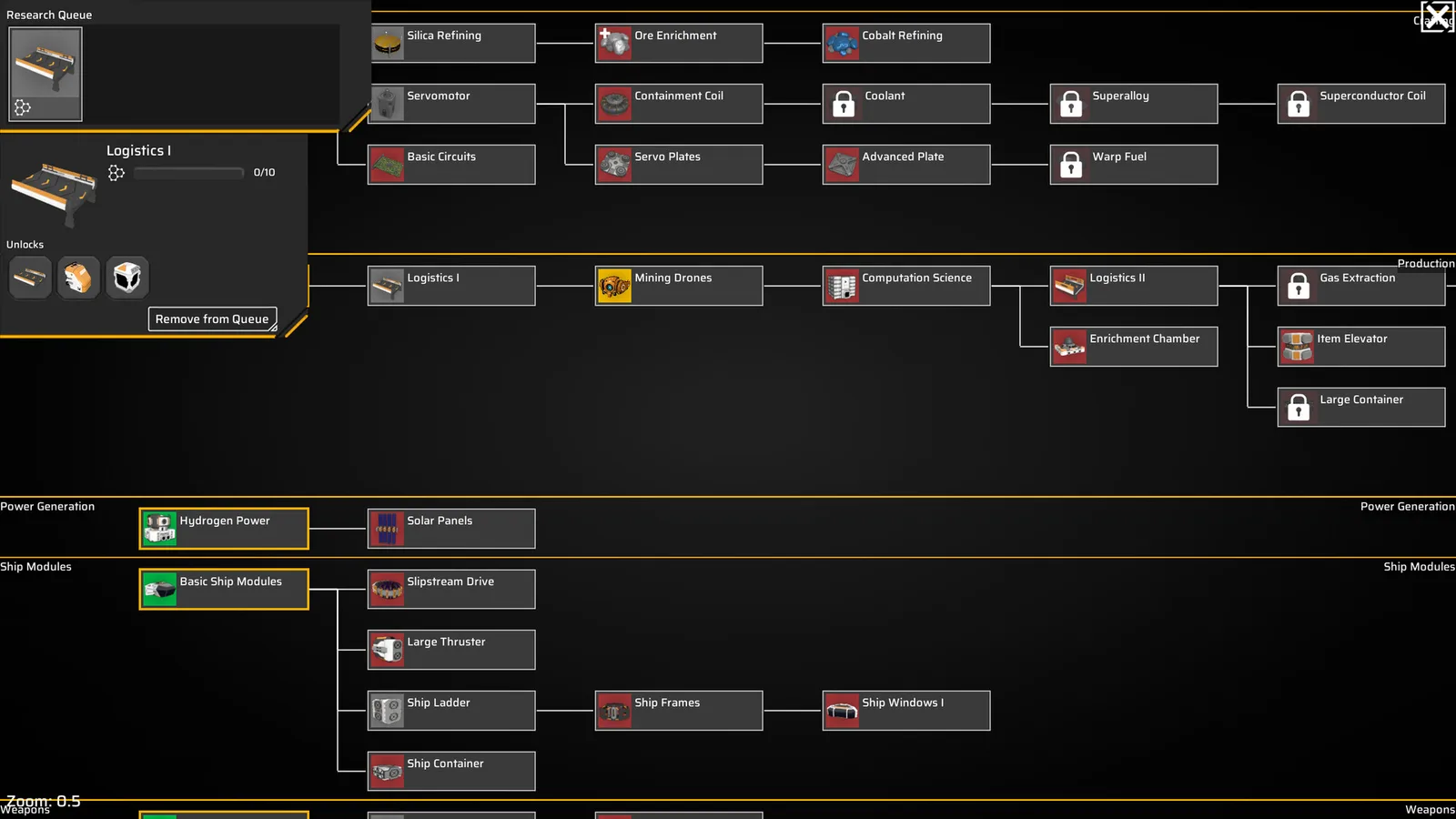
Laboratories cost 12 MW each; research in tier order and keep Material and Computation balanced.
How research actually works
The demo shows a Research Queue in the station interface and a tech tree with tiers. A lab consumes science items and produces research progress. The tree shows each technology's cost in one or more science types: Material, Computation, Electromagnetic, and later Astronomic, Xenobiologic, and others.
The loop is:
- Build a lab and connect it to power and a science-item container.
- Produce the science item the lab needs.
- Queue a technology.
- The lab spends items until the cost is met.
- The technology unlocks a module, recipe, or tier.
The screenshot text “Research Completed! Press T to Select a Technology” is the moment a lab finishes a batch: the game pauses the choice until you pick the next node. If you ignore it, the lab sits idle.
The free tier is not optional
Tier 0 technologies cost nothing to start:
- Basic Crafting
- Basic Production
- Basic Refining
- Basic Ship Modules
- Basic Ship Weapons
- Basic Station Modules
- Hydrogen Power
These are free because they are the grammar of the game. Basic Refining gives you plates; Basic Production gives you assemblers; Basic Station Modules gives you the rooms; Hydrogen Power gives you the reactor. Unlock all of them before you spend a single science item.
The free tier also tells you what the game considers foundational. If a technology is free, you are expected to use it in every run. If it costs 200 Material, it is a strategic choice.
The early gates and their costs
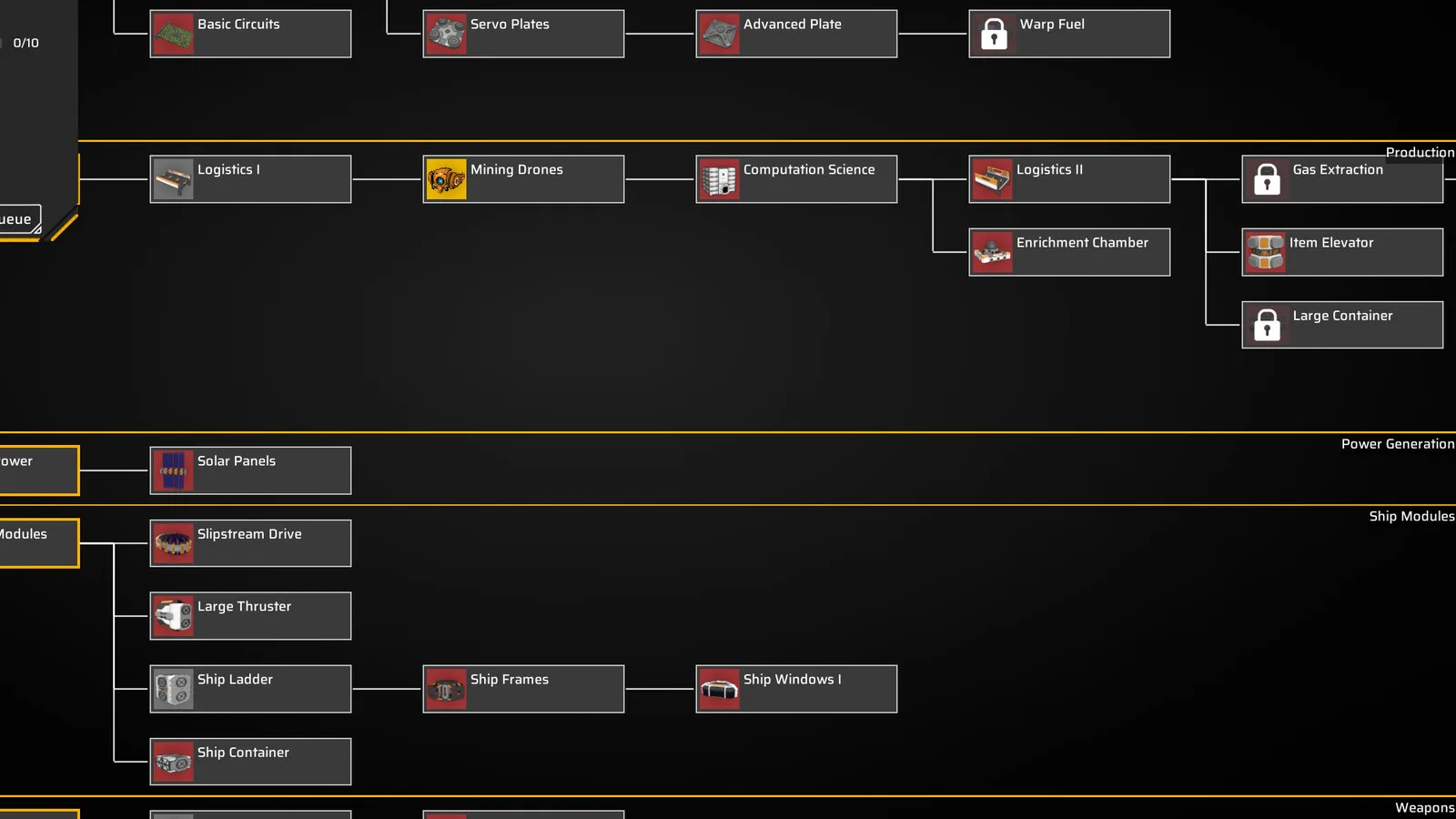
The demo's tier 1 and tier 2 costs are small but sharply ordered:
| Technology | Cost | Why it matters |
|---|---|---|
| Basic Circuits | 30 Material | Unlocks the circuit line |
| Logistics I | 5 Material | Conveyor Belt Mk.1 |
| Servomotor | 15 Material | Advanced belts, docks |
| Mining Drones | 15 Material | Mining Drone Bay |
| Shipyard | 15 Material | Ship production |
| Computation Science | 50 Material | Tier 2 science |
| Slipstream Drive | 200 Material + 200 Computation | Warp fuel |
| Logistics II | 100 Material + 100 Computation | Conveyor Belt Mk.2 |
| Detector Array | 100 Material + 100 Computation | Tier 2 sensors |
The two cheap gates are the ones new players skip. Logistics I at 5 Material unlocks the belt that makes every other machine useful, and Mining Drones at 15 Material unlocks the bay that mines while you build. Buy both before you save for Computation Science.
Basic Circuits at 30 Material is the first real cost. It unlocks the circuit line, which feeds capacitors, detectors, and advanced modules. Without it, your factory can make plates and frames but not the components that gate tier 2.
Lab placement and power
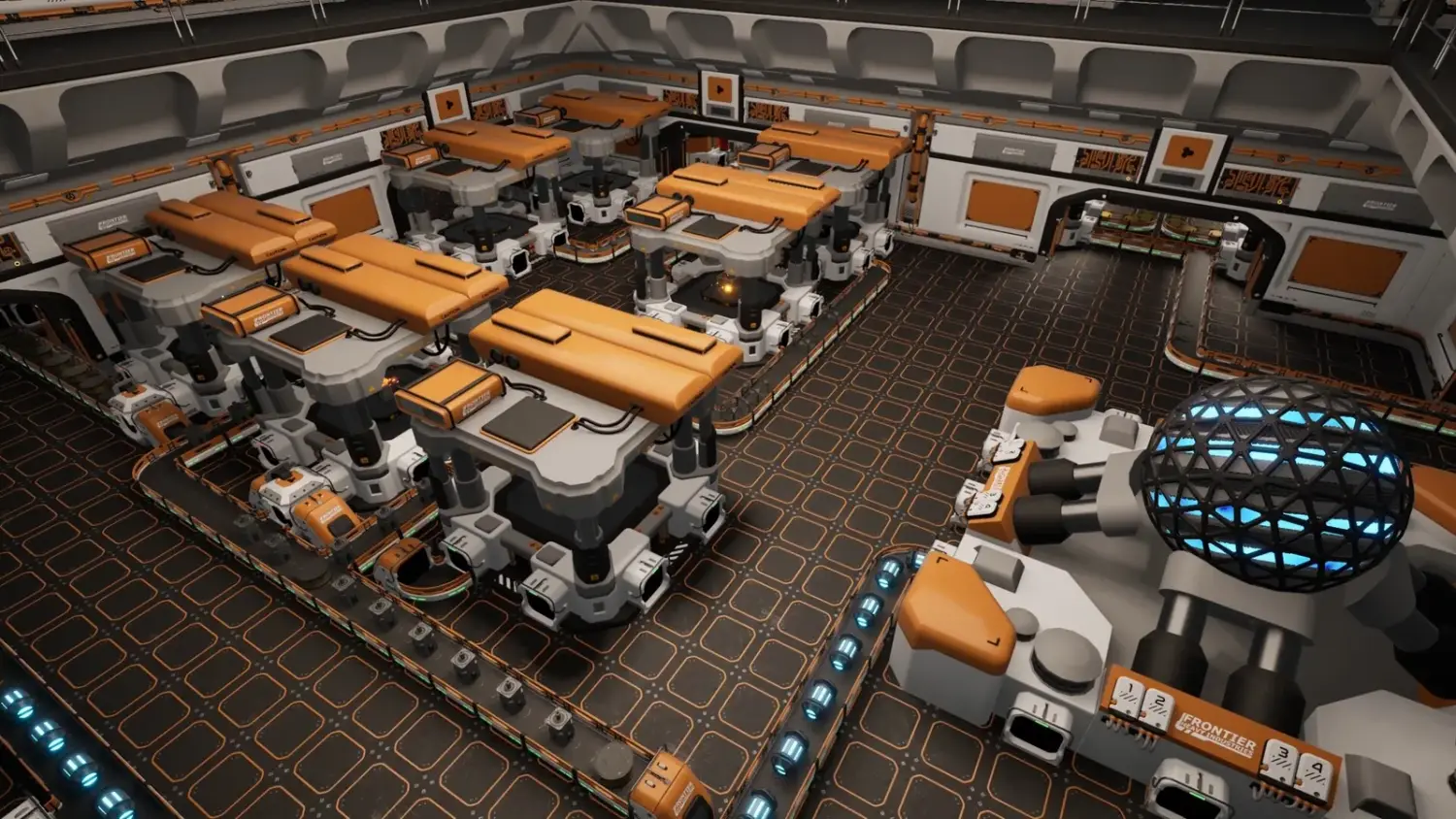
A lab draws 12 MW, the same as two assemblers. It needs a science-item input and, ideally, a container buffer. Put it on its own branch of the station, away from the dirty production halls, and give it a dedicated solar panel or a share of the reactor.
The buffer matters more than the placement. A lab that pulls directly from a belt shared with a constructor will starve every time the belt switches. A container with 20–30 science items smooths the supply and makes the shortage visible.
If you build a second lab, feed it from the same buffer. Two labs at 24 MW double the research rate only if the science supply doubles. Otherwise you have doubled the idle power.
Research order for the first ten hours
A practical order that respects the factory:
- Tier 0 free nodes. All of them.
- Logistics I. Belts before machines.
- Basic Circuits. The circuit line.
- Mining Drones. Automated ore.
- Servomotor. Better belts and docks.
- Shipyard. The first real ship production.
- Computation Science. Tier 2 science.
- Enrichment Chamber. Warp fuel prerequisite.
- Slipstream Drive. The first warp.
- Logistics II / Detector Array. Scale and exploration.
Steps 1–5 are cheap and transformative. Step 6 is the first big build. Steps 7–9 are the mid-game arc. Do not jump from 4 to 7 because the tree looks exciting; the shipyard needs plates, and plates need nickel.
What to do when research stalls
Research stalls for one of four reasons:
- No science item. The lab has power but nothing to consume. Check the upstream recipe.
- No power. The lab is idle because the station is in emergency mode. Check the power bar.
- No queue. The lab finished and is waiting for you to press T and choose a node.
- Wrong science type. The technology needs Computation but you are producing Material. Check the tree's cost icons.
The fix is diagnostic, not more labs. Adding a lab to a starved chain just adds 12 MW of idle draw.
The full cost table is in the tech tree guide→.
FAQ
How do I research in Main Sequence? Build a lab, feed it science items, queue a technology, and press T when a batch completes to choose the next node.
What is the first technology I should unlock? The free tier first, then Logistics I and Basic Circuits. Mining Drones are the next priority.
Why is my lab idle? Either it has no science items, no power, or no queued technology.
How much does Slipstream Drive cost? 200 Material and 200 Computation in the demo, plus a Shipyard and Enrichment Chamber.
Can I skip the shipyard? No. Slipstream Drive requires it, and ship design is a core system.
Official source: Main Sequence on Steam ↗ and the Steam news hub ↗.
Sources
- Main Sequence on Steam ↗ — research and technology description.
- Steam news: Next Fest demo update ↗ — technology tree changes.
- Main Sequence on SteamDB ↗ — demo build reference.
- Mythwright ↗ — publisher.